
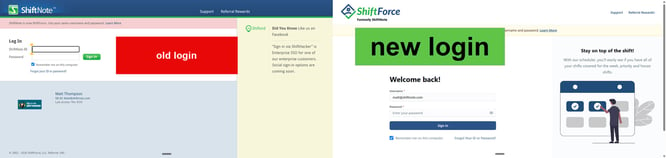
Your username, password, and everything in your account haven't changed. Only the name and the login page look different.
Can't get in? Most login problems are fixed in under a minute. Start with the quick fixes below.
Where to login
Everyone logs in at login.shiftforce.com, no matter which version your company uses. It takes you to the right place.
Forgot your password? Click Forgot password on that page.
Exceptions:
- Your company signs in with Microsoft, Okta, or another work login? See the single sign-on section below.
- Using the mobile website (m.shiftnote.com)? Keep logging in there, or download the ShiftForce app. [App Store] [Google Play]
Quick fixes: try these first
1. Reset your password. Use the link for your login page above. The reset email arrives within a minute or two.
2. Check your spam folder. Reset emails come from [support@shiftforce.com]. The first one sometimes lands in spam or junk. If you find it there, mark it "not spam" so the next one arrives normally.
3. Use the email your company registered. You login with the email your manager or company admin set up for you. That may not be your personal email, or your current work email if you've changed jobs. Not sure which one it is? Ask your manager.
Fixed? You're all set. Still stuck? Keep reading.
"My password isn't working"
- Check Caps Lock. Passwords are case-sensitive.
- Clear your browser's saved password. Your browser may be filling in an old one. Delete the saved ShiftForce or ShiftNote password and type it in.
- Watch for extra spaces. Copying and pasting can add a space at the end. Type it instead.
- Changed it recently? Your password manager may still have the old one.
- Try another browser: Chrome, Edge, or Safari.
- Tried three times? Reset it. It's faster than guessing.
Does your company sign in with Microsoft, Okta, or another company login?
Some companies use single sign-on (SSO), where you sign in with your work account instead of a ShiftForce password.
- Enter your work email on the login page, and you'll be taken to your company's sign-in.
- Don't use "Forgot password." Your password is managed by your company, not ShiftForce.
- Can't sign in? Contact your company's IT team. They manage your work account.
Logging in on your phone
Download the ShiftForce app and log in with the same username and password you use on the web.
-
[App Store] [Google Play]
Have the old "MyShiftForce" app? Delete it and download the new ShiftForce app.
For managers: helping an employee who can't login
You can usually fix an employee's access faster than they can:
- Go to Admin → Users and open the employee's record.
- Check their email. Make sure it's correct and spelled right. It's their login.
- Resend their invite, or reset their password.
Employees without an email address on file can't log in or use the app. Add one for everyone.
Common questions
Did my username or password change with the new name? No. They're the same as before.
I work at more than one company that uses ShiftForce. Each company's account uses the email that company registered. Use the email for the account you're trying to reach.
I never got a welcome email. Ask your manager to confirm your email address and resend the invite.
Still stuck?
A real person on our team will help you:
- Chat: click the chat bubble in the bottom-right corner of shiftforce.com. Choose Talk to a person if you need a human.
- Email: support@shiftforce.com. Include your name, your company, and the email you login with.